
Designing one product for symptom tracking, DBT, and crisis support
Product design • UX research • mobile UX/UI • usability testing • 2023
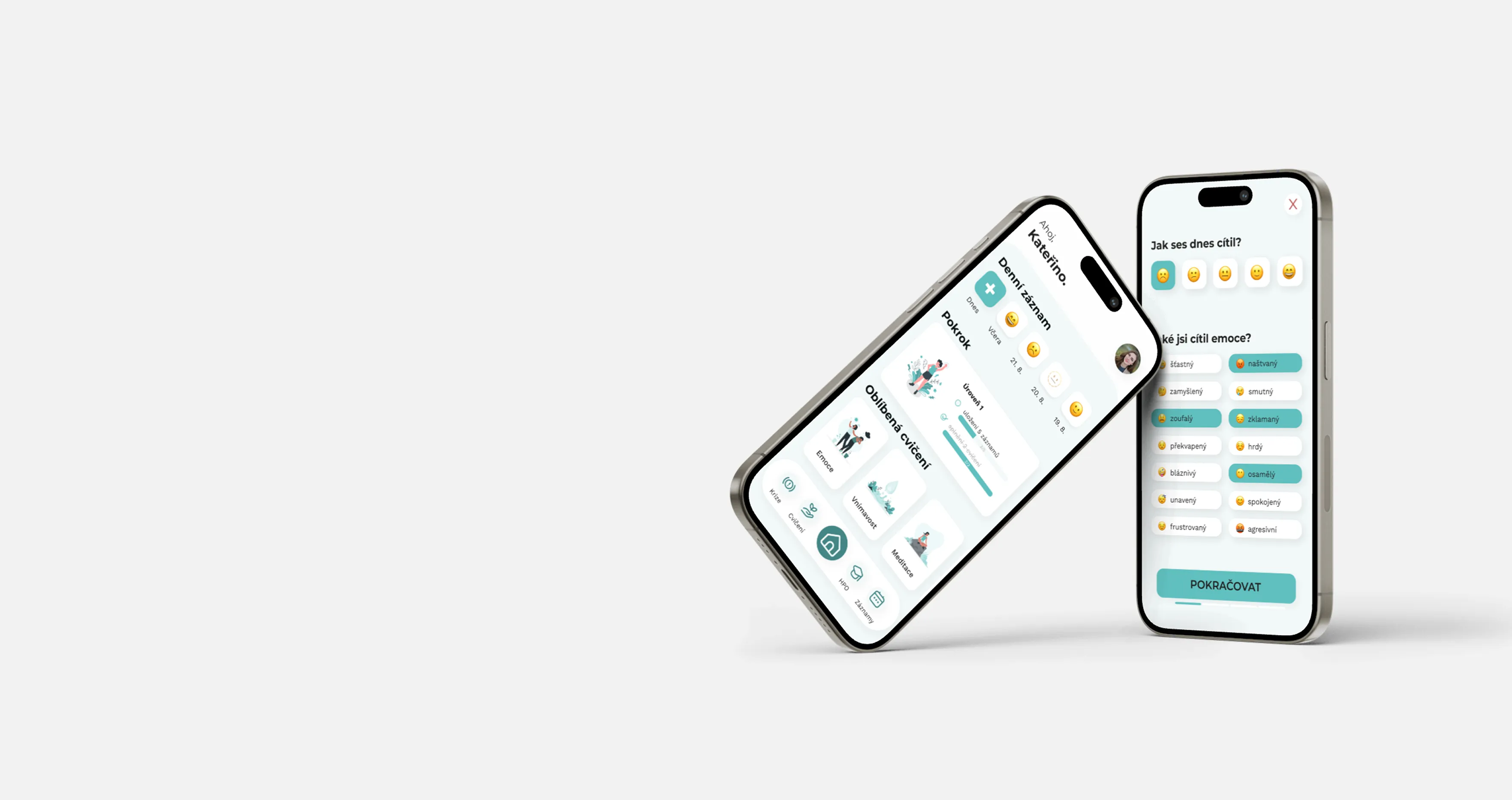
As part of my bachelor’s degree in psychology, I designed a mobile app for people with borderline personality disorder (BPD). The app was designed to support everyday mood and symptom tracking, DBT skills and exercises, progress monitoring, collaboration with a therapist, and access to support during a crisis.
I led the project independently, from research and concept definition through information architecture, user flows, and prototyping to usability testing and final evaluation.
This case study focuses on the project’s main design challenge: how to bring together features used in very different situations and with different levels of urgency into one coherent product.
Context
One app for everyday use and difficult moments
The app needed to provide a single place for several needs that could change over time.
Users could track their moods and symptoms, monitor their progress, work with DBT skills and exercises, complete structured activities, and access their crisis plan or crisis support contacts when needed.
The concept also allowed users to review their data over time and export it for use during therapy.
The goal was not to replace therapy. The app was intended to provide support between sessions and help users apply the skills they had learned in their everyday lives.
But bringing all of these features together created the project’s main design challenge.
Problem
Not every feature is used in the same way
Some interactions needed to be quick and routine, such as logging a mood or symptom.
Others required more attention, time, and focus, such as completing a DBT exercise or working with a specific skill.
And then there were situations where users might need immediate support. In those moments, there was little room for navigating complex structures or processing large amounts of content.
One product therefore needed to support several very different modes of use:
- Tracking and progress: quick, repeated interactions
- DBT skills and exercises: deeper, focused work
- Crisis support: immediate access with minimal cognitive load
The main question wasn’t simply:
It was:
How might I design a structure that supports long-term progress without slowing users down when they need something immediately?
Research
Moving therapeutic content to mobile wasn’t enough
At the beginning of the project, I researched borderline personality disorder, DBT principles, and existing digital solutions.
The important question wasn’t only which features the app could include. I also wanted to understand which parts of everyday therapeutic work could be meaningfully supported by a digital product, and where an app might instead create additional friction or burden.
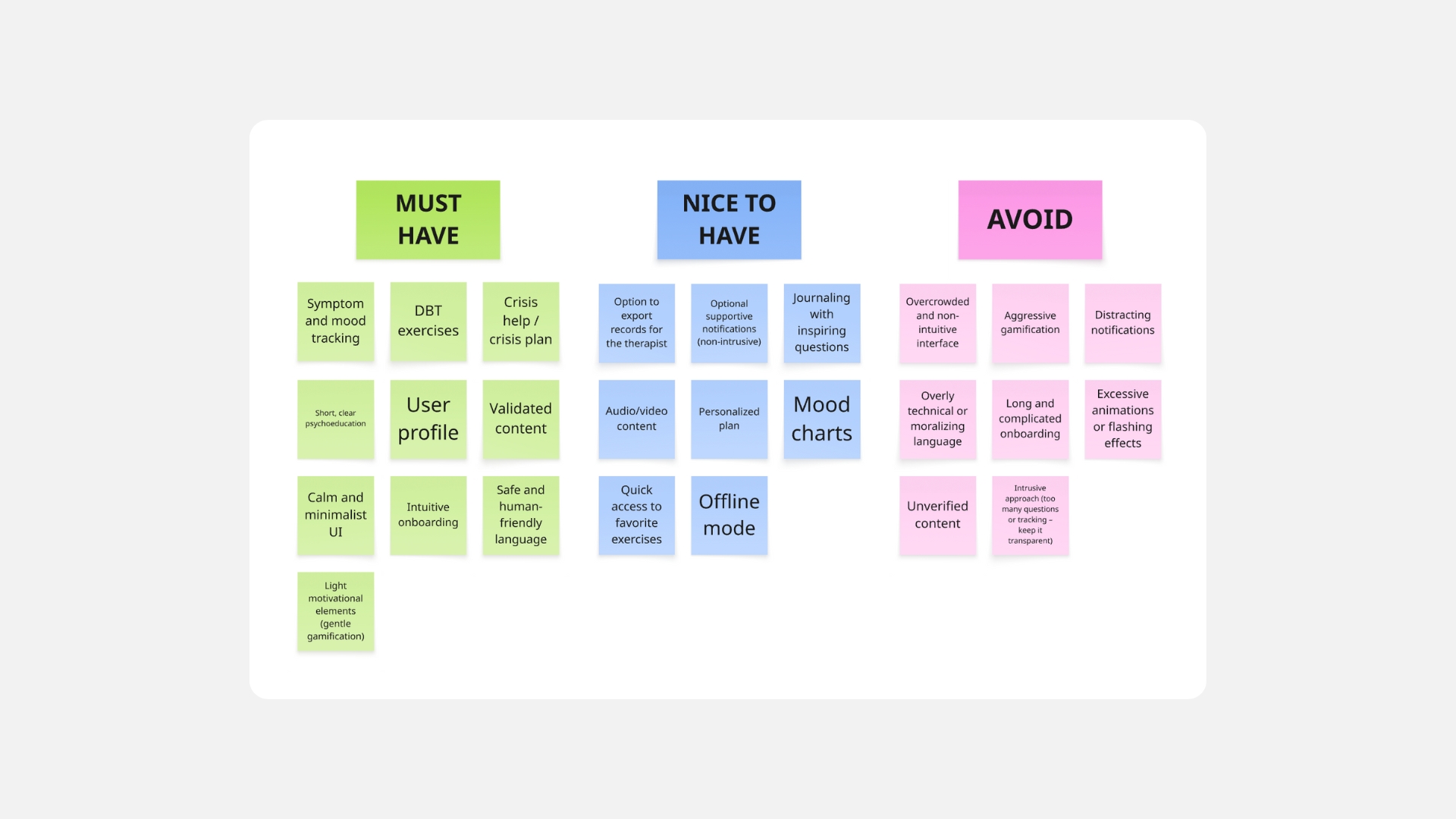
The research led to several principles that guided the design:
- Support therapy, don’t replace it: The app should extend the everyday use of learned skills rather than substitute professional care.
- Keep the barrier to regular use low: Routine activities such as logging moods or symptoms needed to be simple enough not to become another task users felt obligated to complete.
- Different situations require different levels of attention: A DBT exercise can be longer and require focus. Mood tracking should be quick. Crisis support needs to be accessible without unnecessary steps.
These principles became the foundation for the product structure.

Solution
One structure, different modes of use
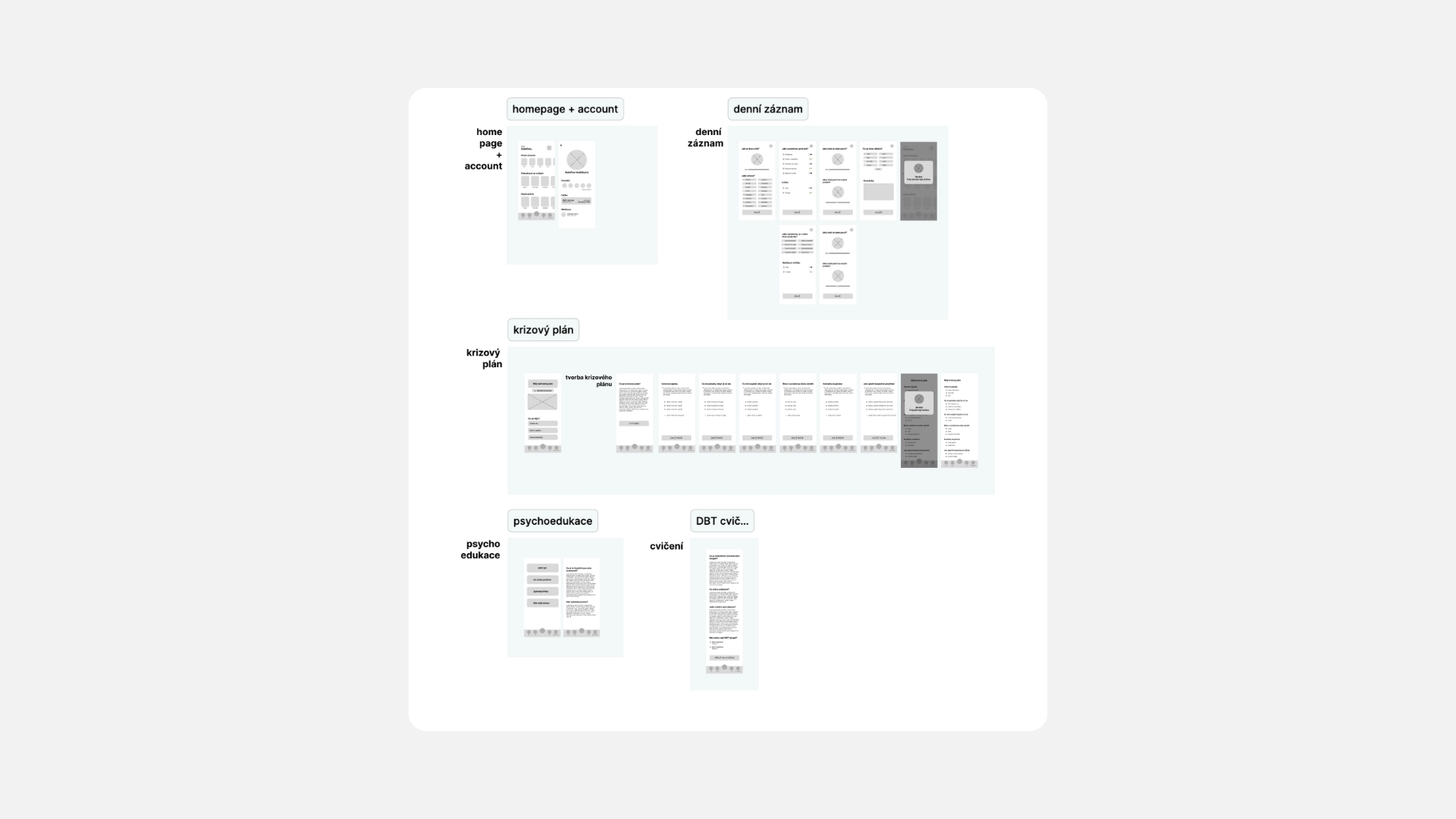
Rather than structuring the app around clinical or theoretical categories alone, I based the information architecture on what users needed to accomplish in a particular moment.
The main areas of the product therefore supported several different types of interaction.
Tracking and progress
Logging moods, symptoms, and the use of skills needed to be quick and repeatable.
The goal was to collect enough information to provide a meaningful view of changes over time without overwhelming users with too many steps or questions every time they added an entry.
The collected data could then feed into history and progress views and provide useful material for further work.
DBT skills and exercises
The DBT section wasn’t designed to function simply as a library of theoretical content.
The goal was to help users understand a skill, practise it through a specific exercise, and later apply it in a real-life situation.
skill → explanation → exercise → real-life application
This part of the product could therefore support more content and longer flows than routine tracking.
Crisis support
The crisis plan and support contacts played a fundamentally different role from the other features.
In moments of increased stress or emotional distress, I wanted to minimise the number of decisions and steps required to find support.
These features therefore needed to be easy to access and clearly separated, both visually and structurally, from regular exploration of the app.
The same product could support long-term progress and a brief, urgent moment. But the interface couldn’t assume that users would interact with it in the same way in both situations.
Testing
The prototype revealed problems the structure alone couldn’t
Once I had an interactive prototype, I evaluated the design through usability testing.
I wasn’t interested only in whether participants could complete individual tasks. I also looked at where they expected to find specific features, what they found unclear, and where the interface created unnecessary cognitive load.
Testing revealed several places where my original logic didn’t match users’ expectations. Based on these findings, I iterated on the structure, navigation, and individual flows so that the product better reflected how people thought about its different features.
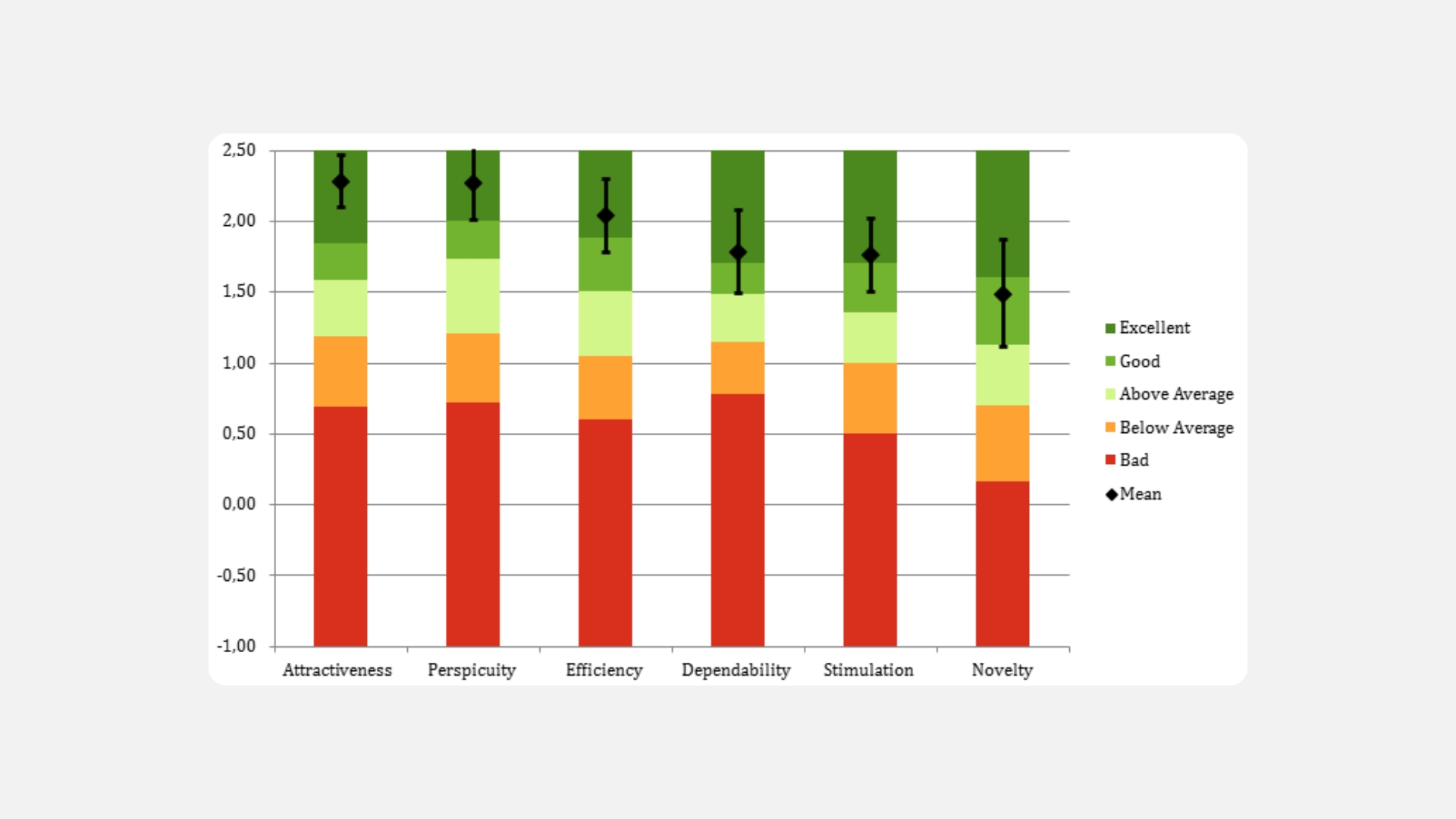
After these iterations, I also evaluated the design using the User Experience Questionnaire (UEQ). The final evaluation included 26 participants.
It was important to distinguish between two very different questions:
- Is the design understandable and usable?
- Does the app have a long-term therapeutic effect?
My evaluation focused on the first. It assessed the user experience and usability of the concept, not its clinical or therapeutic effectiveness.
Outcome
Turning a complex brief into one connected product
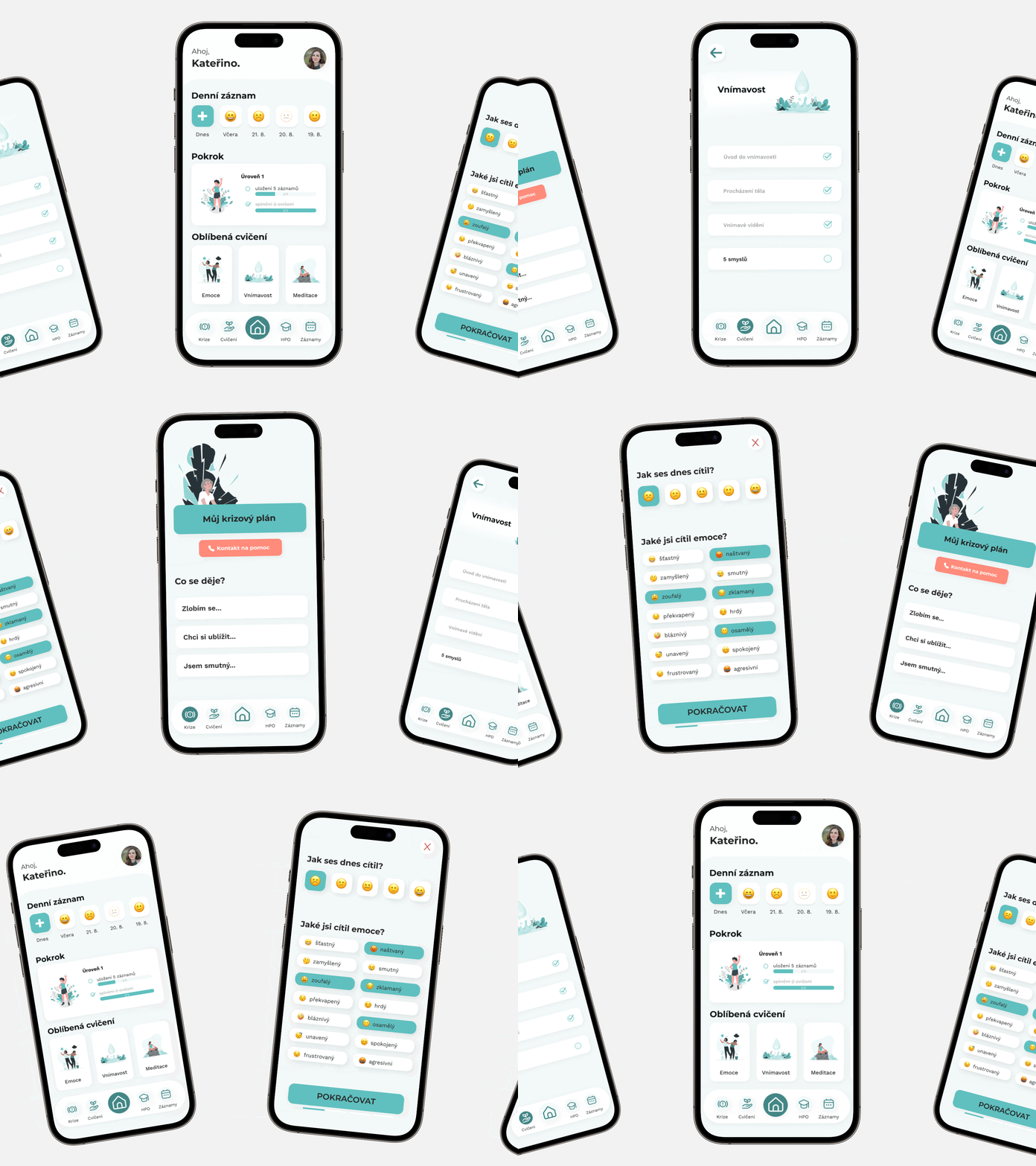
The result was an interactive mobile app prototype that brought together mood and symptom tracking, DBT skills and exercises, progress monitoring, data export for use in therapy, and support during crisis situations.
I led the project independently from initial research through final evaluation, and it became my first opportunity to bring psychology, research, and product design together in an end-to-end process.
The most important part of the project, however, wasn’t designing as many features as possible.
It was understanding that the same person can use one product in very different mental and emotional states, and that the interface needs to account for those differences.
What I’d do differently today
Today, I would be more deliberate about identifying which features form the true core of the product and which can remain secondary.
I would also connect data and activities across the app more closely, so that mood tracking, skill use, and long-term progress could form a more cohesive experience rather than functioning as separate parts of the product.
The project also taught me the importance of clearly distinguishing between a good user experience and actual therapeutic impact when designing health- and psychology-related products.
A usable interface can be an important prerequisite. But usability alone isn’t evidence that a product improves someone’s long-term outcomes.